
How to modify your profile
How to modify your profile
TEPPEN Guide
TEPPEN Guide
Added:
You can personalize your profile by doing the following:
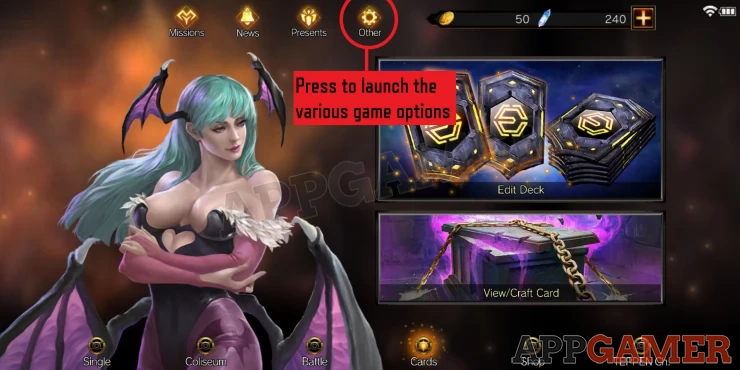
1. From the main screen, select Others
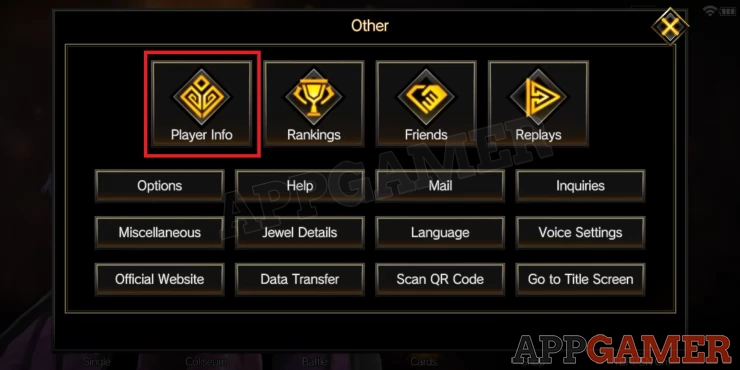
2. Select Player Info
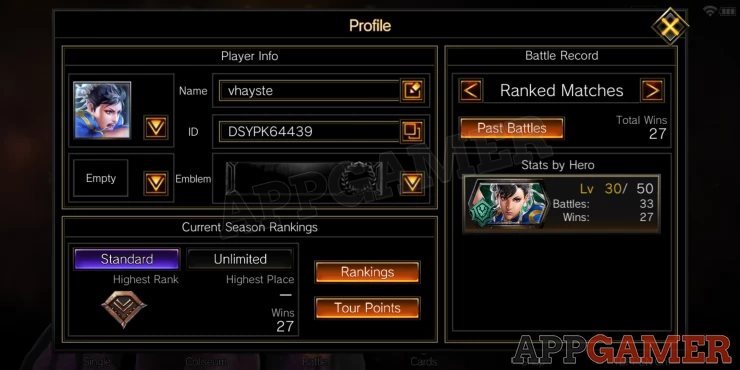
3. Here you can change your name, player icon, emblem etc
We have questions and answers related to this topic which may also help you: Show all
YOUR COMMENTS
Comments & Replies
Guide Contents