
How to know a hero's associations?
More The Seven Deadly Sins: Grand Cross
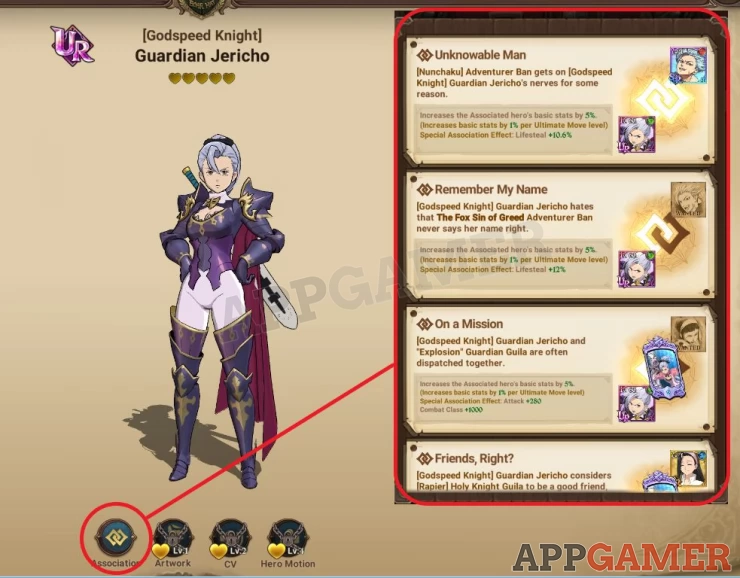
Each hero has his/her own list of available characters that he/she has relationships with. When partnered with these heroes through the Association system, the main hero will get various stat buffs, combat class boost, and even turn his/her ultimate move to a more powerful Combined Attack.
To see which characters are associated with your hero, do the following:
1. Access the Heroes menu
2. Select the hero you want then tap his/her model
3. In the following screen, tap Association in the bottom menu to see all associations and their effects.
We have questions and answers related to this topic which may also help you: Show all
 Vhayste started writing free guides and walkthroughs in 2006 for several online gaming sites. He has written hundreds of guides covering games from a wide variety of genres across different platforms. He's an avid JRPG and mobile gaming fan, and regularly plays games on the PC, Steam Deck, PS5, and mobile platforms. He strives to continue making comprehensive and easy-to-follow guides for his readers.