
Increasing Population
Township Guide
How do you increase the residents of your town in Township? If you look at your main menu, you'll see that there's a capacity of people that can live on your town.
Constructions of new facilities or farming areas have a manpower requirement. If you're not able to meet this number, then you won't be able to begin construction. Therefore, you'll have to build houses for new residents.
How do you build a house to increase your town's population?
Open the store section of the game, then you'll have to look at the houses section which is on the upper left side. This section of the game will provide you with a variety of house choices, depending on your current level.
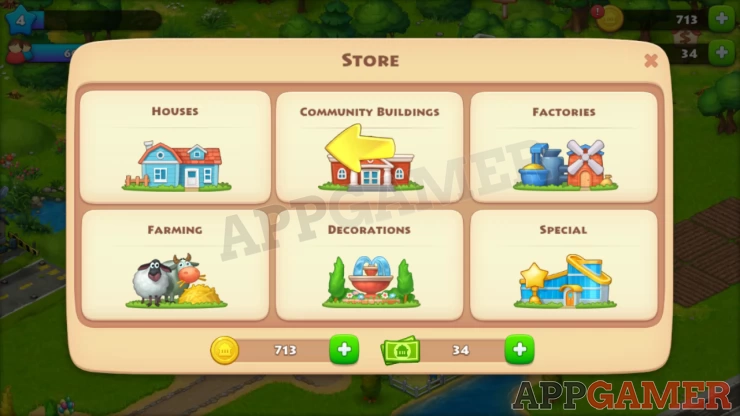
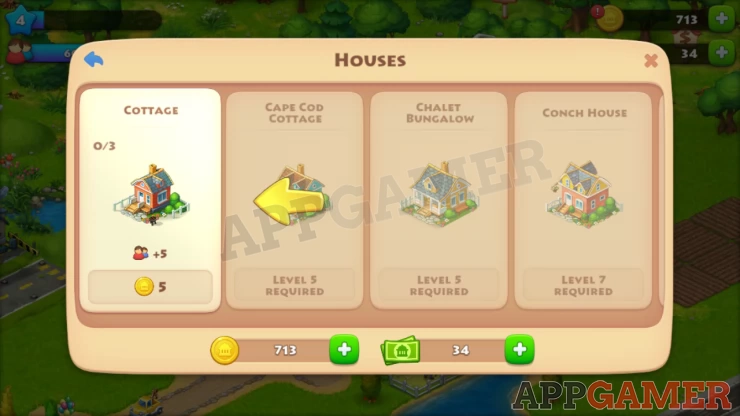
To start with, your basic Cottage is available and this will increase your town's capacity by +5. Other houses can be unlocked as you level up later on.
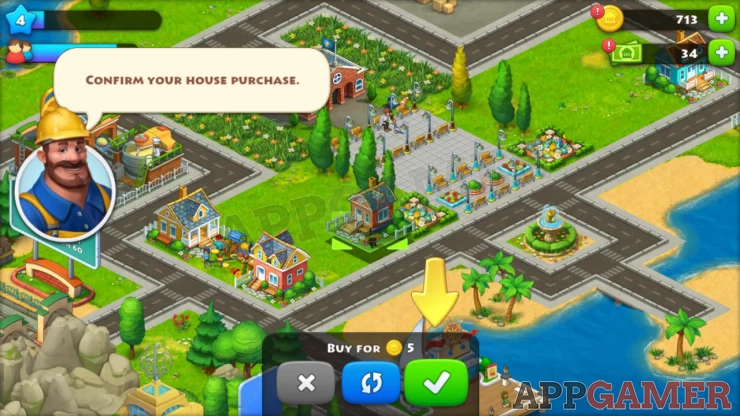
Once you have chosen the house that you want to build, you'll then choose a piece of land that you can place the house to. Construction will begin once you've confirmed it. Take note that having more houses that are higher leveled will provide a better population capacity for your town. This is important since the products your town will make will depend on how much available people there are to work.
We have questions and answers related to this topic which may also help you: Show all