
Vampire Survivors: How to Unlock the Milky Way Map
Vampire Survivors are not using randomized maps so it is somewhat easier to track item locations using general directions. However, there's a relic that you can collect that will permanently enable the map option when you pause the game. In this article, we will discuss how to obtain this very useful item that will significantly improve your gaming experience while trying to survive hordes of enemies.
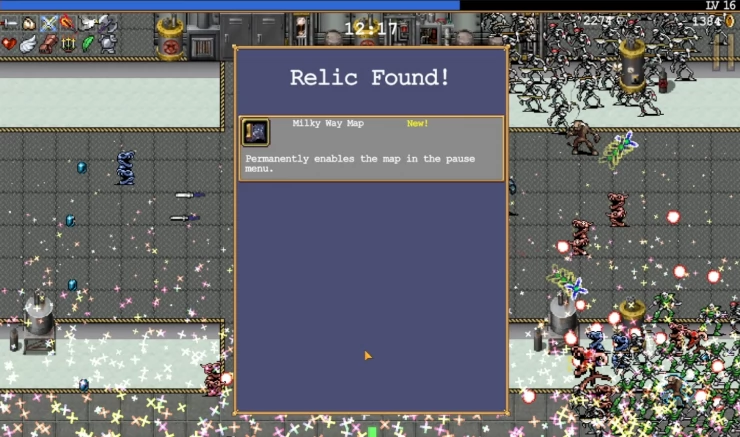
What is the Milky Way Map
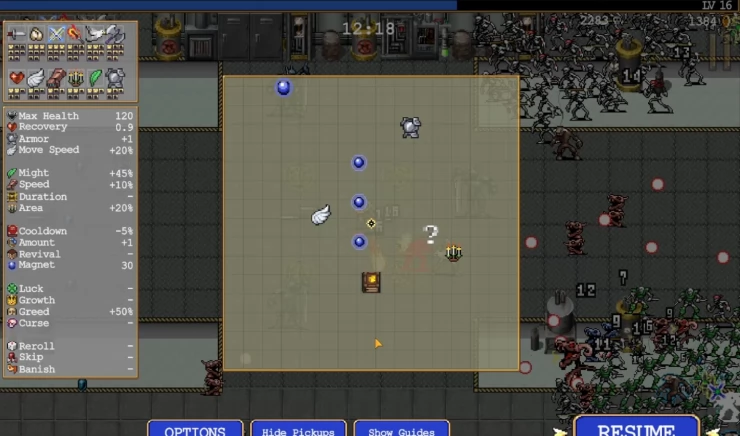
As explained briefly above, the Milky Way map permanently enables the map to be displayed when you pause the game. This is exceptionally helpful since the map also displays the location of pick up items, weapons, power up items, other relics, and points of interest (like coffins). The map will not display the layout of the area but your character's relevant position to the aforementioned items (with your character in the middle of the map). While on the map menu, you also have the ability to toggle the guide or items if you want to.
How to Unlock Milky Way Map
The Milky Way Map is located in the third normal stage of the game called Dairy Plant. To unlock this area, you need to reach LV40 in the previous stage (Inlaid Library). Once you have unlocked the map, start a run and you'll notice a couple of spinning green arrows hovering near the edge of the screen. These arrows point to two relics; one of those is the map. From the starting point, the map should be in the southeast.
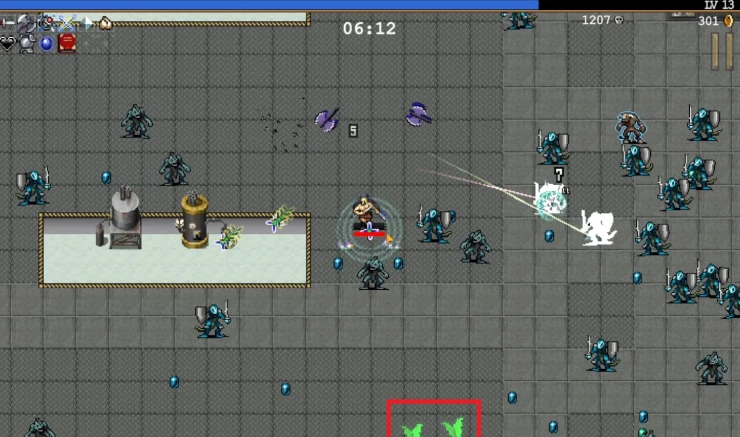
Make your way there and you should find the map in the middle of four pressure plates in an area near some machines, as shown in the screenshot below. You don't need to defeat enemies guarding this relic; simply head in and pick it up to permanently obtain the relic and unlock its feature.
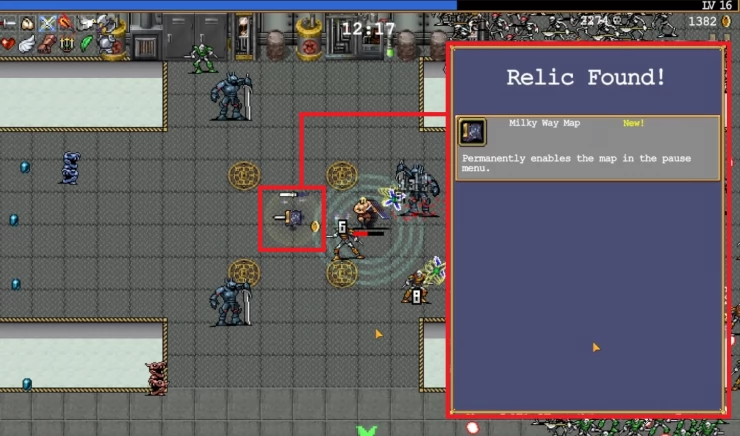
How to Access the Milky Way Map
As mentioned above, the map is automatically enabled when you enter the Pause menu. This can be done by pressing ESC on your keyboard or Menu/Options on the controller. It is recommended to open the map often since the items displayed on it will update in real-time especially if there are helpful healing items or one-time-use weapons that may have dropped from light sources that you have overlooked while in the heat of battle. Coffins (that can unlock certain characters) will appear as white question marks on their respective maps.
The game has tons of unlockables and secrets that can be challenging to acquire without the help of the map so try to get this relic as soon as you can to make your life a lot easier.
 Vhayste started writing free guides and walkthroughs in 2006 for several online gaming sites. He has written hundreds of guides covering games from a wide variety of genres across different platforms. He's an avid JRPG and mobile gaming fan, and regularly plays games on the PC, Steam Deck, PS5, and mobile platforms. He strives to continue making comprehensive and easy-to-follow guides for his readers.