
Level 35 Walkthrough
More The Vault: Logic Puzzle Box
This is a walkthrough for Level 35 of The Vault: Logic Puzzle Box, a challenging safe opening puzzle game from Peaksel Games.
After collecting the artifact in Level 34 you now move on to the next safe to open.
Level 35 Walkthrough

Turn to the left of the safe to see a puzzle with gears.
Gears Puzzle

- There are four large gears, each one has an arrow on it.
- There are some smaller gears that will connect the large ones together, you can move these in and out.
- Tap the large gears to turn them so that the arrows all point to the center.
- Move the smaller gears in and out to allow you to make the adjustments.

Collect the Blue Card.
Turn to the front of the safe and view a card reader on the left side. Use the blue card here.

This activates a display on the right side of the safe, view this. There are a number of lines spaces out on the display and a circle at the bottom.

Use the left and right arrows to move the line above the circle until it is in the center, then you can move the circle up one by using the Up arrow.
When the circle reaches the top line a panel will open on the other side, Collect some Fuses.

Turn to the right side again and look under the display to find a yellow button.

Press this and another small panel will open, collect the Handle.

Next look on top of the safe.

View the larger circle and add the handle to it.

Rotate the circle with the handle until you can collect a Green Card.
View the front of the safe and then the card reader on the right side. Use the green card on this.

This opens up a cover on the back of the safe. There is a grid sockets. Add the Fuses to this to start a puzzle.
Fuses Puzzle
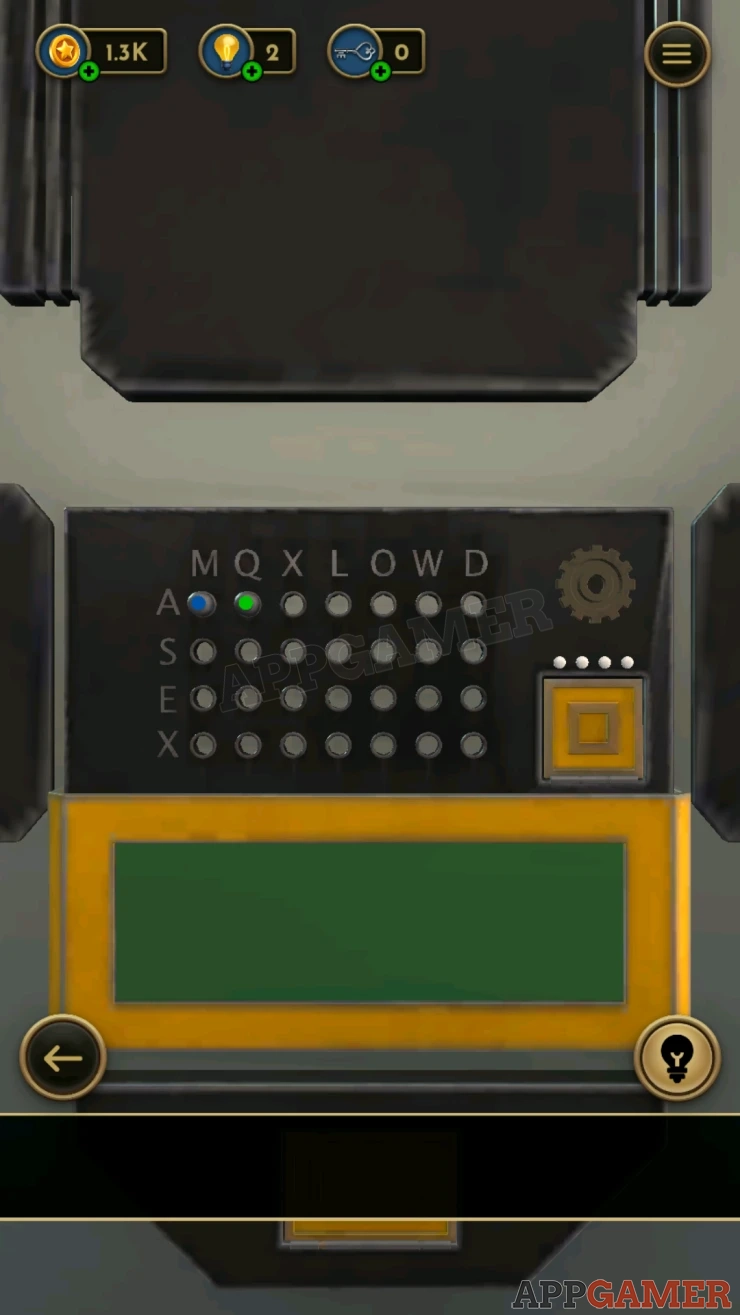
- You need to move the fuses to various positions to activate some lights.
- Look on top of the safe again, view the four gears that have letters arranged around them.
- There are two gears with blue arrows and two gears with green arrows.
- Notice the letters MADE written next to them.

Solution: Turn the first gear so that the blue arrow points to the letter M. Then read the letter from the two blue arrows and the two green arrows. MX OS Do back to the fuse grid and move the blue fuse to the position give by the blue letters and the green one to the position given by the green letter. This will light up one of the four lights. Go back to the gears on top of the safe and turn the first gear to A, then repeat this process to move the fuses and get a second light. AO LA Repeat again for letters D and E. DE WE EW QX You will then have four lights on. Show


Collect the Fingerprint.
Turn to the front of the safe and view the fingerprint scanner.

Use the fingerprint on this and the safe door will open.
Collect the Energy Blade and move on to level 36.
We have questions and answers related to this topic which may also help you: Show all
 With 20 years of experience in creating video game content for the internet and over 30 years as a gamer, Mark is now a passionate mobile App Gamer. Loving a challenge, he is always ready to get stuck in to both survival builders and puzzle solving games. He has been providing content for AppGamer since 2014.