
Level 12 Walkthrough
More The Vault: Logic Puzzle Box
This is a walkthrough for Level 12 of The Vault: Logic Puzzle Box, a challenging safe opening puzzle game from Peaksel Games.
After collecting the artifact in Level 11 you now move on to the next safe to open.
Level 12 Walkthrough

First look in the top center of the front of the safe, there is an oval shape with red dots.

Below this is a bar across the front with a wavy line and more dots on it. Slide this to the left or right and the oval will turn.
On the back you will see a pattern of dots with some of them black.
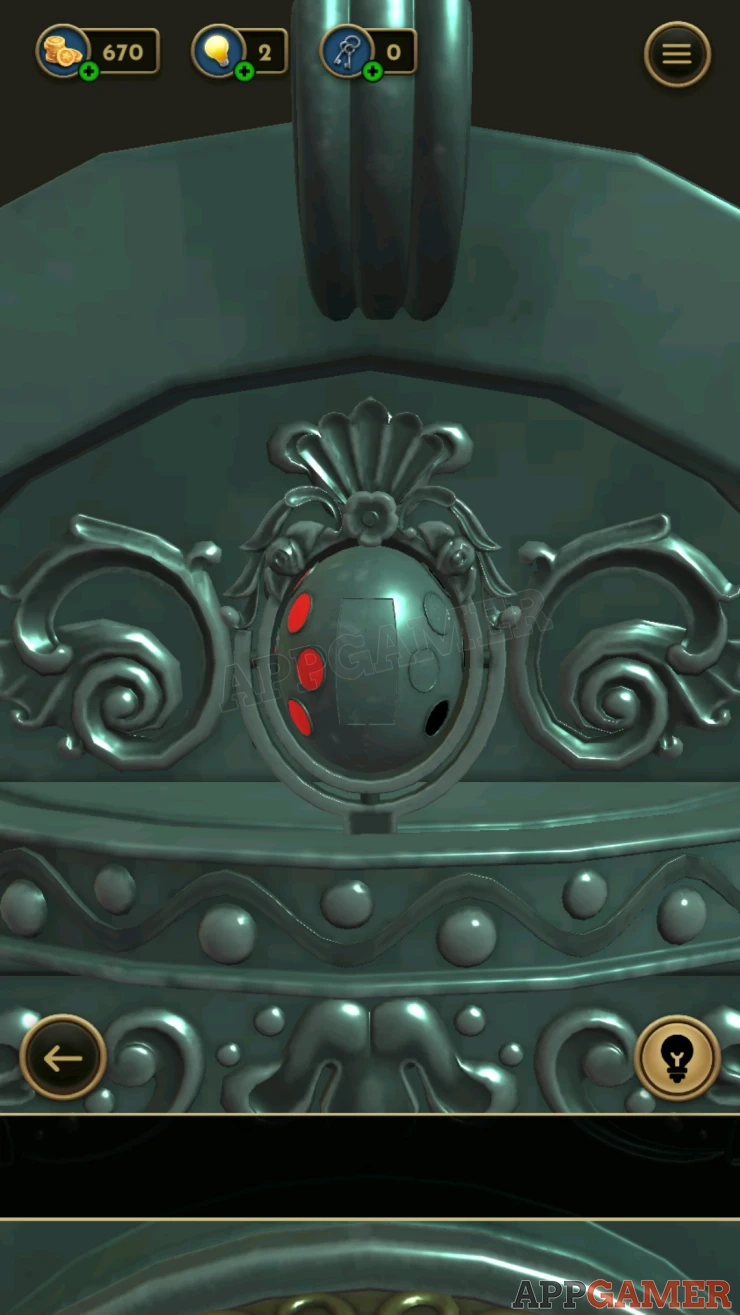
Turn the oval back to the front side with the red dots and now tap on the ones that match the black dots pattern from the back to highlight them.
Solution: Show

Once done a panel opens and you can collect a Circle Tile.
Next look on the top left pillar of the safe. There is a flower shape on top and below this a circular ring.
Turn the ring until you reveal a colored symbol. This is a clue.

Next look at all of the other three pillars and repeat this, you will then have four symbols in different colors.
Now look on the right side of the safe. At the top is a panel with four colored inputs.

Swipe these to change them and set them to match the ones seen on the pillars.
Solution: Show
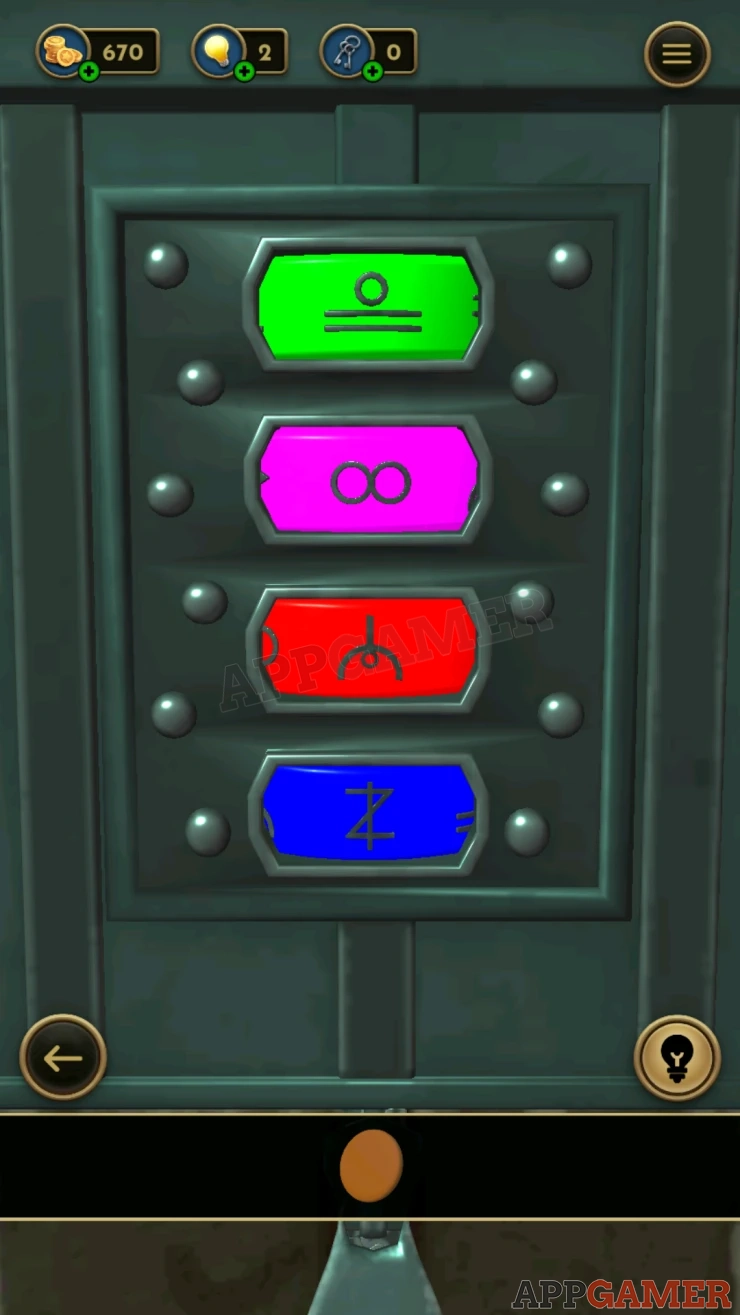
Once done you can collect a Key.
Next look at the lower section of the right side of the safe, There is a Zip. Slide this down to open it. You can then collect a Handle's Tip.

While still looking at the right side of the safe, tap to view the foot of the right side pillar.
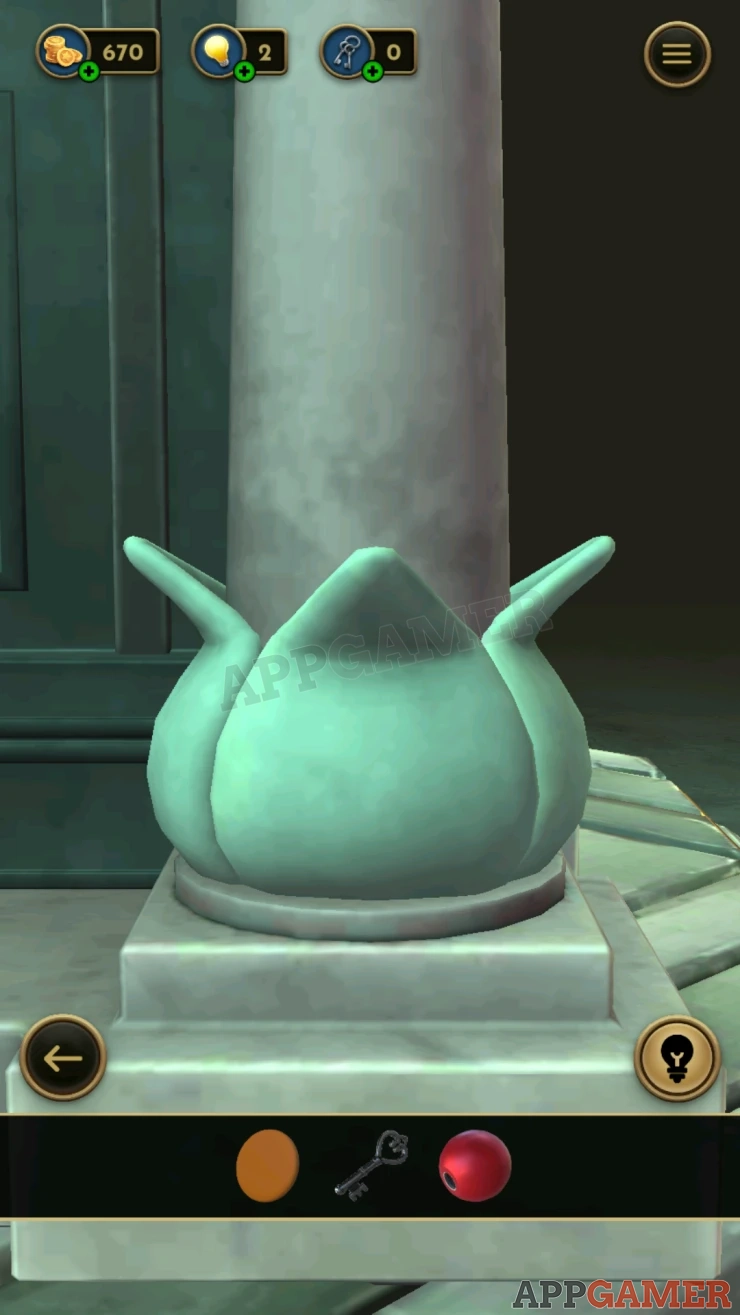
Tap this and the foot will open, then slide up a green ring to reveal a clue number.
Show

Turn to the back of the safe and look in the center to see a set of number keys. Enter the number from the clue.

This will open for you to collect a Star Tile.
Look above this to see a small lamp. Open the glass door on it and you can collect a Triangle Tile.

Turn to the left side of the safe. At the bottom is a decorated panel with a handle below it.

Tap the handle at the bottom to start to push the panel up. You will need to keep tapping to pump the panel upwards until it is fully open.
Then you can collect a Square Tile.
Now look above the panel, there is a small switch.

Pull this down and the top of the safe will open to show a picture puzzle.
Picture Puzzle
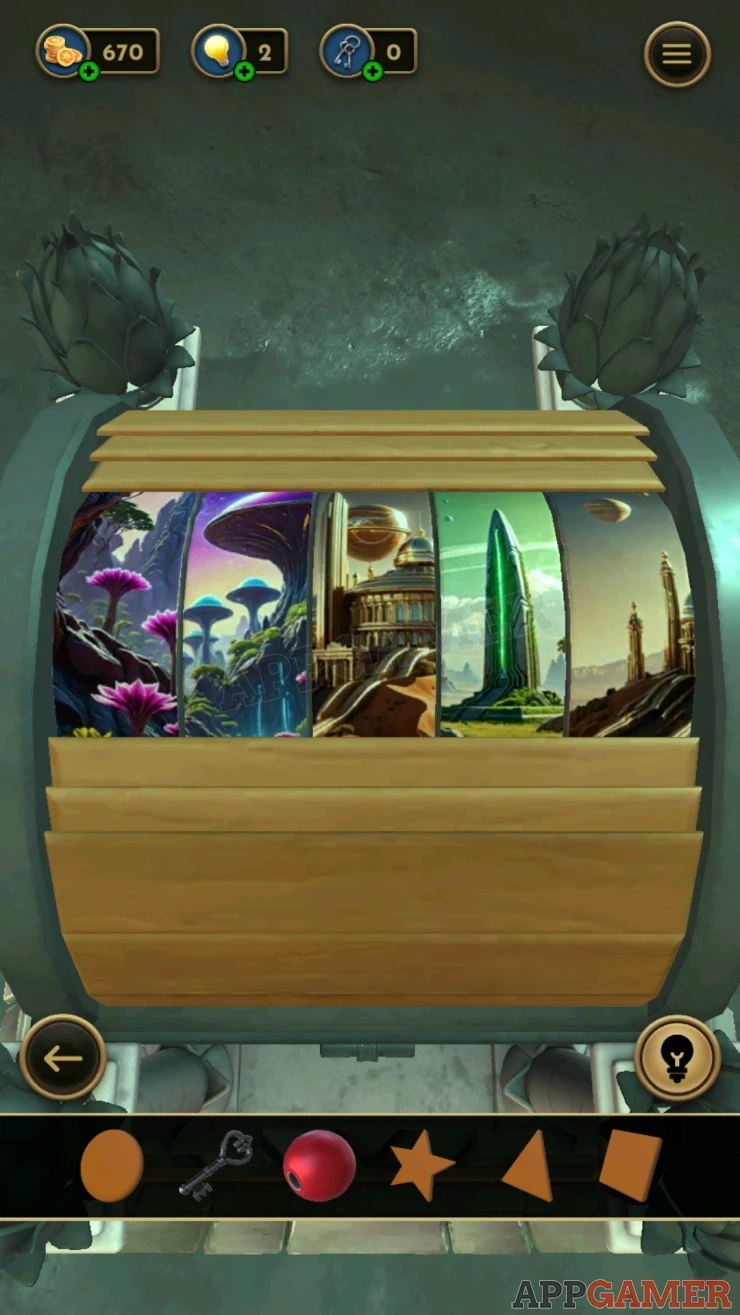
- There are five panels that make up different pictures.
- Tap each panel to change the image on it.
- You need to find the five images that make up a complete picture.
Solution:

Once done you can then collect an Oval Tile.
Go back to the back side of the safe and look at the bottom to see five shaped slots.

Place the five tiles that you have into the correct slots.
Then collect the Handle's Base.
View the handle's base and add the top to it. You will collect the Handle.

Now turn back to the front of the safe. View the center.
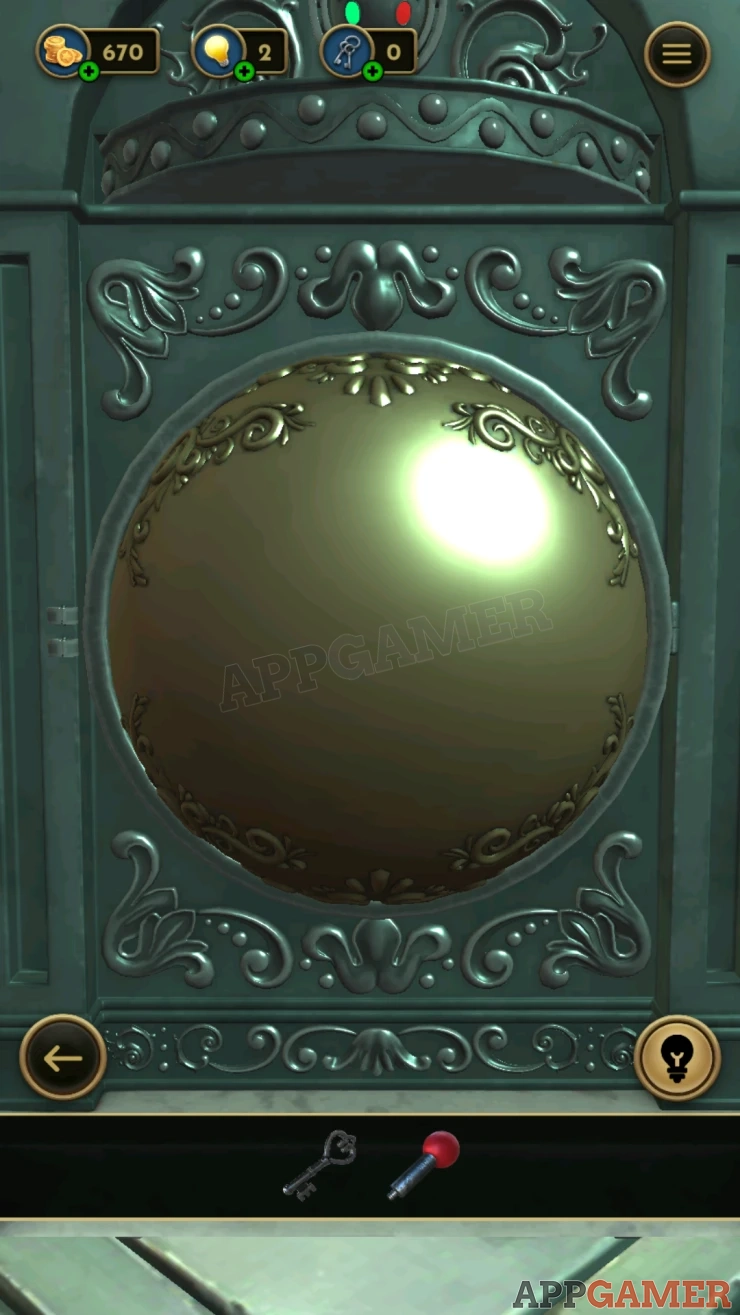
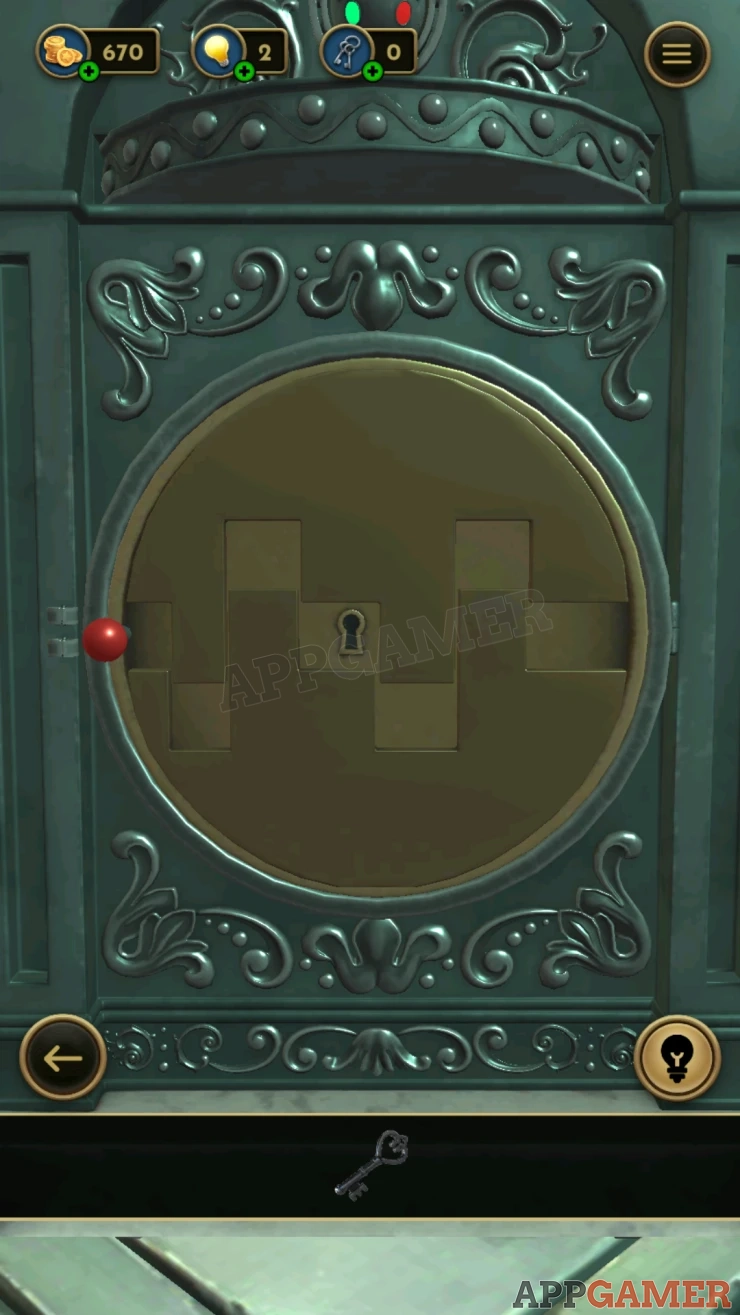
Swipe the large dome shape to flip it around, on the back is a shapes line. Place the handle in the small hole on on the right side of this line.

Now slide the handle along the line to reach the left side. When it gets there the two halves will move apart a little to reveal a key hole.
Use the Key here to open the safe.
Collect the Architectural Model artifact.
Move on to level 13.
We have questions and answers related to this topic which may also help you: Show all
 With 20 years of experience in creating video game content for the internet and over 30 years as a gamer, Mark is now a passionate mobile App Gamer. Loving a challenge, he is always ready to get stuck in to both survival builders and puzzle solving games. He has been providing content for AppGamer since 2014.