
Snowbreak: Containment Zone Reroll Guide
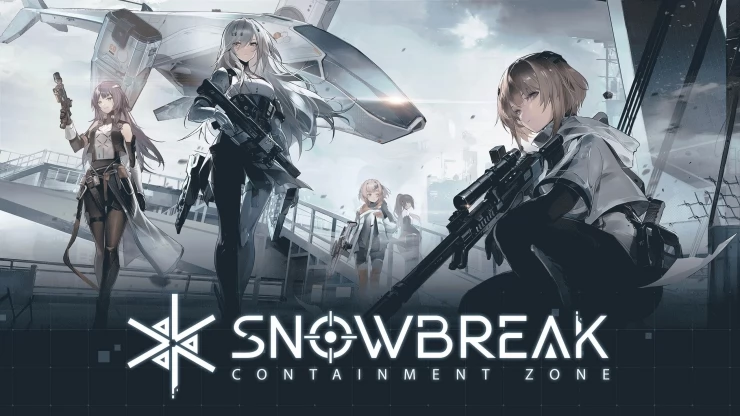
Snowbreak: Containment Zone is an third-person, sci-fi RPG-shooter set in the post-apocalyptic world dominated by monstrous Titans and mutated creatures known as the Changed. If you want to get off to a great start in this game, and try to get your hands on an orange tier 5-star character then you may consider rerolling to try to pull a better operative initially. We take you through all the steps that you need to know to reroll in Snowbreak CZ.
Why Reroll? and What you Need to Know Before Getting Started
By rerolling, you're giving yourself a chance to start the game with your desired or top-tier units. New accounts are usually given free summons/rolls to get them started so even if you didn't get any good units from your rolls, wiping out your data and restarting from the beginning to get another attempt at free rolls is more efficient that playing the game normally and trying to earn the necessary resources.
Login Methods
Snowbreak CZ gives you several methods of logging in the game:
- Official Season account (using any email address)
- Google account
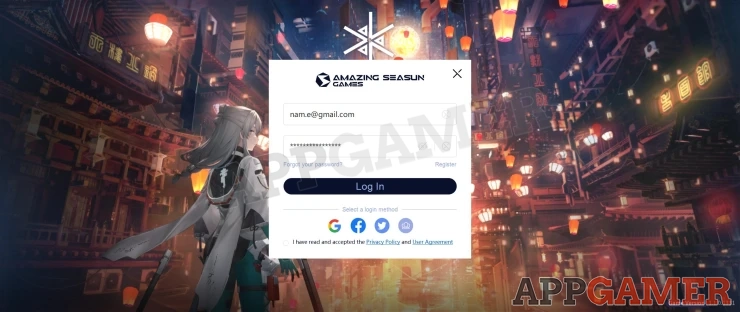
For each login method, you'll be able to create an account on one of the four server regions of the game (Americas, Asia Southeast Asia, and Europe). This means for each login, you can have up to four different accounts across different servers since your player data is stored separately. The only downside about this is that you'll most likely encounter high ping and connectivity consistency when connecting to a server/region that's different from your current location (for example, a player in Asia connecting to a US server). The game is still playable regardless of region; however, connecting to your local region will still provide the best gameplay experience.
That said, the ideal method of logging in when you want to reroll is by using an email address. This is because you can use a technique called "email salting", which can enable you to use multiple email proxies for creating multiple accounts. These proxies can then redirect actual emails to the main email where you can receive the verification codes needed for logging into game accounts.
Email Salting
For efficient rerolling, it's advisable to use Gmail accounts since they have the capability to utilize "salts". As mentioned above, salted emails enable using the same email for multiple registrations. To use a salted email, you just have to insert a number or dot between your name and the @gmail part of your email address.
For instance, if your Gmail is [email protected], a salted version could be [email protected] or [email protected]. To easily keep track of your reroll attempts, using numbers is recommended. All emails sent to a salted email will be redirected to the "main" email, including the important verification codes needed for creating a new account in the game.
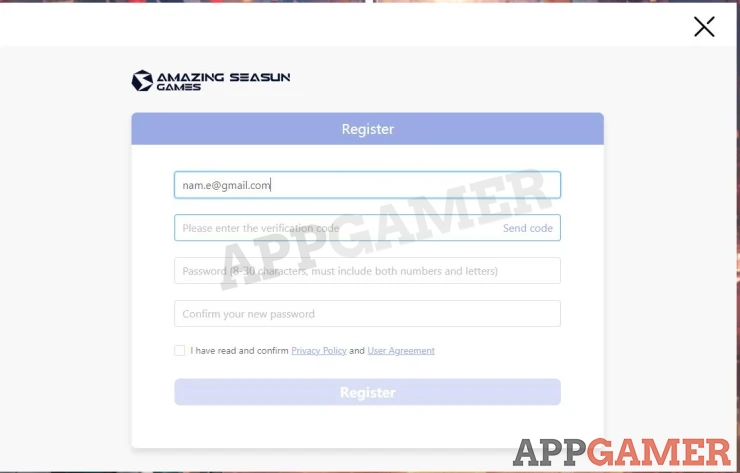
Since each salted version of your email will be treated as a new account by the game, you can conveniently receive the verification codes on your main email without creating several individual dummy or throwaway accounts manually. This method is very reliable and saves a lot of time so this is the one we will be discussing in this article.
How to Reroll in Snowbreak: Containment Zone
After logging into the game for the first time, you have to go through a lengthy tutorial. Unfortunately, you have to go through this for every reroll attempt since there's really no way to skip this part. After finishing the tutorial, you have to keep playing the straightforward missions to unlock more features, including the gacha banners and beginner benefits.
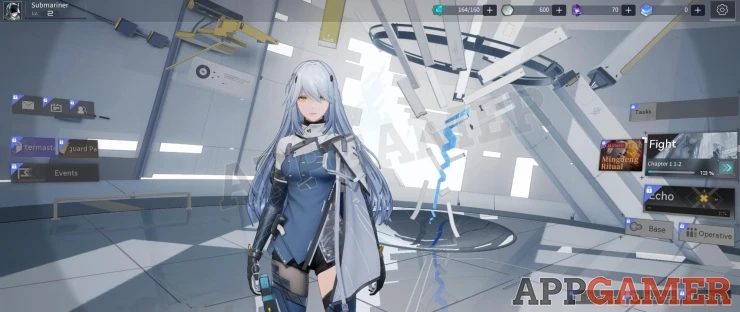
Once you have unlocked the mailbox (Stage 1-9), you'll be able to claim various rewards that are made available for new players. (When you enter new codes, the rewards will be sent to your mailbox as well so that's something worth remembering).
If you have pre-registered in the game, you should have received the following items as well:
- 800 DigiCash
- 5 Operative Recruitment Chit
- Interstellar Voyager outfit for Lyfe Wednesday.
Then, go to the Events section on the left side of the home screen and select the "Makings of a Legend" event to claim your 10 Operative Recruitment Chit.
Finally, after clearing Chapter 1 entirely, you'll be able to unlock the gacha system called Echo.
Gacha Recruitment
There are several different weapon and operative (character) banners available but to optimize your reroll attempts, our focus will be the beginner banner called "Battle Assembly". This banner has a 20% discount for 50 pulls and features a guaranteed random orange-tier (5-star) operative. You'll need 8 Operative Recruitment Chits for a 10-pull and you can exchange your premium currency (DigiCash) in case you're short on Chits.

The only caveat for this banner is that you can't pull one at a time. You'll need to have 8 pulls' worth for every attempt. If you're lucky enough to get an orange-tier operative before reaching the 50-pull "guaranteed pity" rate, then the counter will reset and your 50th pull will no longer guarantee an orange operative (since you already managed to get it earlier).
When this happens, you can either keep the operative you pulled or create and login on another salted email account and repeat the steps. Just take note that if you want to continue your progress on the salted account where you pulled your preferred operative, you have to log in to the game using the salted email format you've used.
Summary
That's our detailed guide for how to reroll in Snowbreak: Containment Zone. Here's the summary of the steps:
- Create a new account (main or salted email format)
- Play through the first chapter to unlock game features.
- Collect rewards in the in-game mail or by claiming from current events.
- Pull in the "Battle Assembly" beginner banner to get your first or preferred orange-tier operative.
- To repeat the steps, go to Settings (gear icon) > Other > Return to login page
- Next, click the door icon in the top-right corner of the login screen so you can enter the credentials or create a new account.

 Vhayste started writing free guides and walkthroughs in 2006 for several online gaming sites. He has written hundreds of guides covering games from a wide variety of genres across different platforms. He's an avid JRPG and mobile gaming fan, and regularly plays games on the PC, Steam Deck, PS5, and mobile platforms. He strives to continue making comprehensive and easy-to-follow guides for his readers.