
How to Add Friends in Monopoly Go - Updated for 2024
Easily find our Monopoly Go updates on Google
Add AppGamer as a preferred source to keep our daily events, free dice links, and Monopoly GO guides easy to find in Google search results.

Monopoly Go is better with friends, and you can have a maximum of more or less 500!
If you are looking for more friends to add in Monopoly GO! Then here is the low down on how to share your friend link, how to become friends with other players and where on the internet you can look to find other Monopoly GO! players to be friends with in the game.

How to Add Friends in Monopoly GO!
You can find your current friends list by tapping the handshake icon in the bottom right of the game screen labelled 'Friends'.
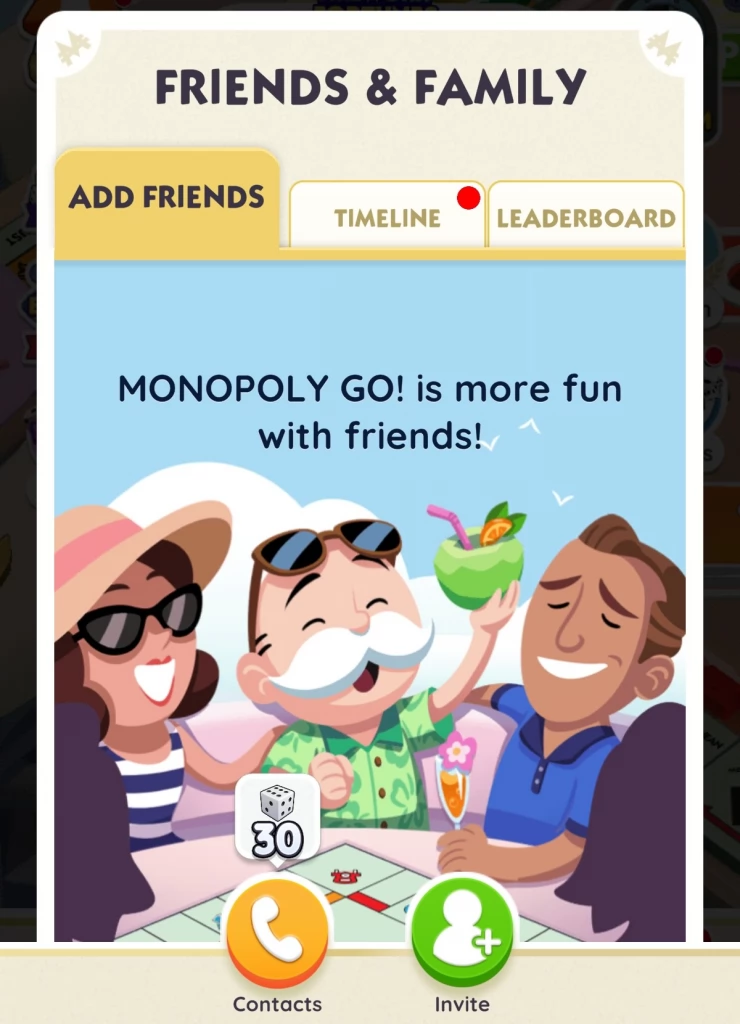
This will bring up your Friends and Family menu where you can add new friends, manage friend requests, check interactions from friends and compare your own progress against other players from around the world.
Add Friends
In the Friends and Family menu, there are three tabs, Add Friends, Timeline and Leader board.
Timeline is where you can see the interactions that other players have had with your game and the leader board is where you can compare your game progress to friends and other players from around the world.
When first go to the Friends menu, you will already be on the Add Friends options. There are three options here to add friends.
- Random Add
Sometimes you are given the opportunity to send up to three random friend requests, I always do this when I get given the chance as it is a great way to easily build up your network of friends in Monopoly GO!
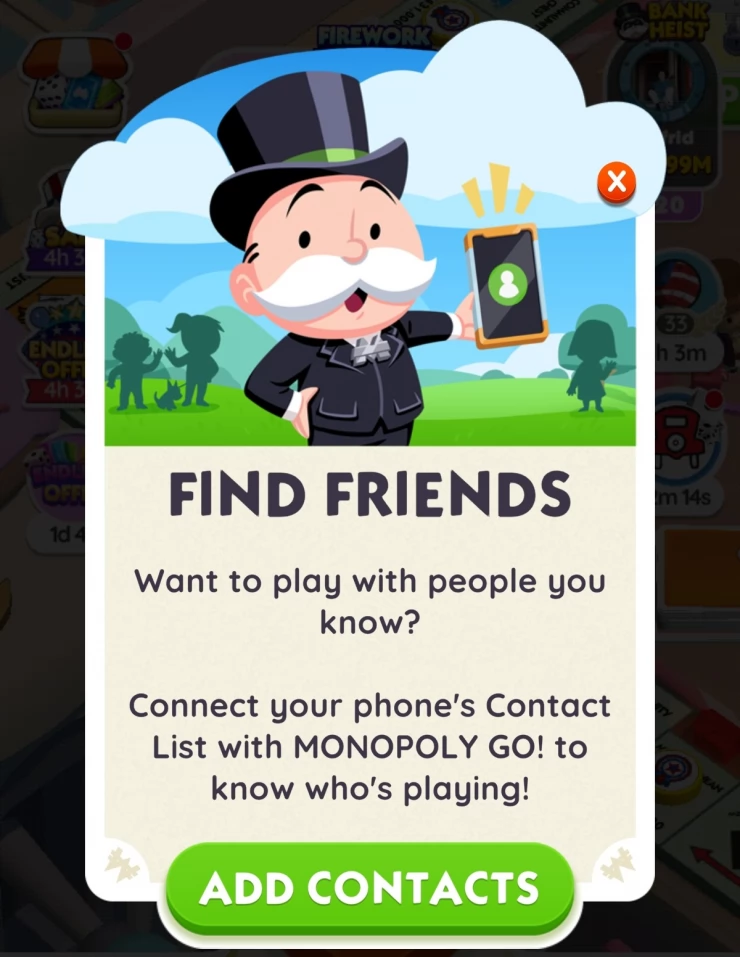
- Contacts Add
Another option to add friends is to send a request via your contacts, to do this you'll need to share your mobile phone number and contacts list with the game.
- Invite Add
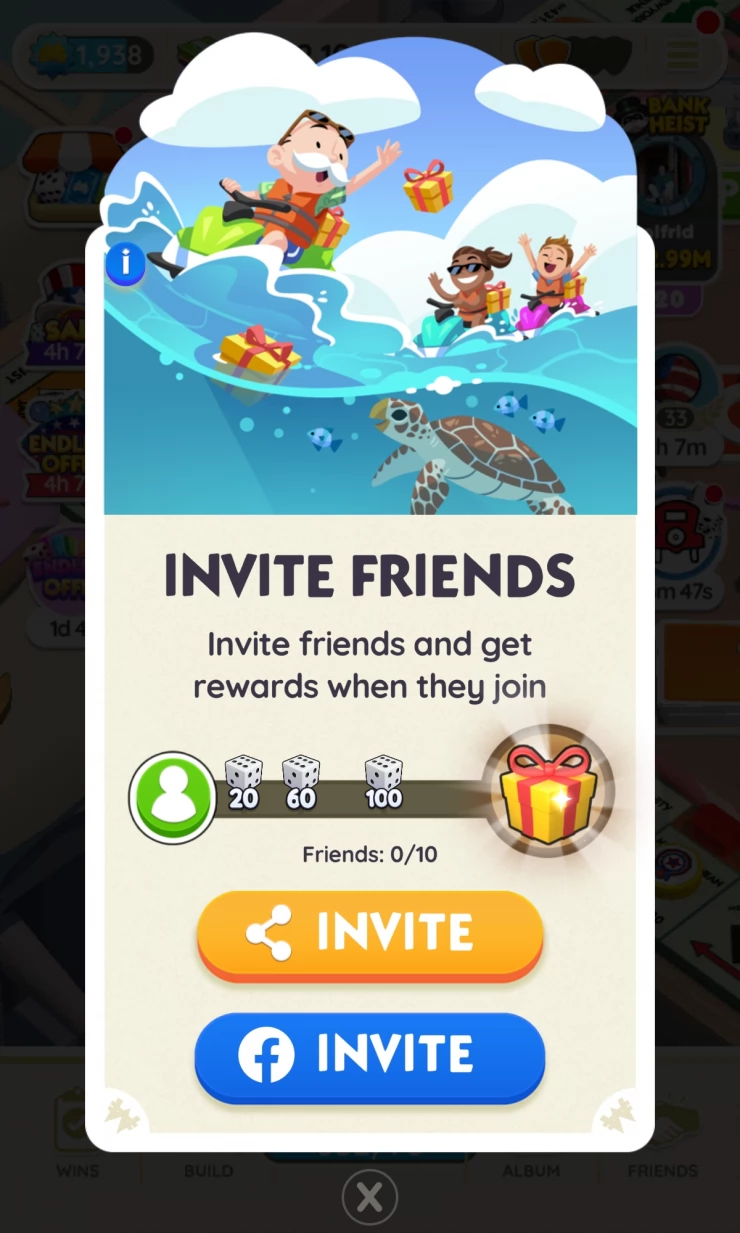
The other option to add friends is to share your invite ID with other players, to do this tap the green invite button and you can either post your friend ID directly to Facebook, or tap the orange button to either copy your unique invite URL or share it with your other apps such as Gmail or WhatsApp
Sharing Your Invite URL
Once you have your invite URL, you can then share it with other players.
My friend URL is: https://mply.io
Your own freind code will be something like that but with a different code at the end.
Facebook Friend Free Dice
If you add a friend in the game that is also a Facebook friend, then you'll get 100 dice for each of the first 10 Facebook friends that you add to your friends list in Monopoly GO.
Join the Monopoly GO! Trading Facebook Group
There is also a Facebook Group where you can share your friend links and try to swap stickers with other players. If you are interested in trading stickers, then check out our article, How to Trade Stickers in Monopoly GO!
You can find the Monopoly GO! Trading Facebook Group here.
There are many of the Facebook groups that you can find people to trade stickers with, and apart from that, we also have our own Monopoly Go forum , which is a super friendly small community of active and helpful Monopoly Go players, follow that link to drop in and check it out.
 With over 20 years of experience in the video games and web publishing industries, Richard is an expert in all things video gaming.
Your Comments
Head to our friendly Monopoly Go forum, if you would like to make a comment about this article, trade stickers or chat about Monopoly Go with other players.