
Room 1 Walkthrough
More Tiny Room Collection
This is our walkthrough for Room 1 in Tiny Room Collection, a room escape puzzle game from Studio Wakaba. In this first room you will need to find a way to unlock the red door.
Tiny Room Collection Room 1 Walkthrough
As you begin the exit door is in front of you but need to find a key to unlock it.

First view the small table to the right of the door and collect from it a Pink Cube and an Umbrella. These will be added to the Items list.

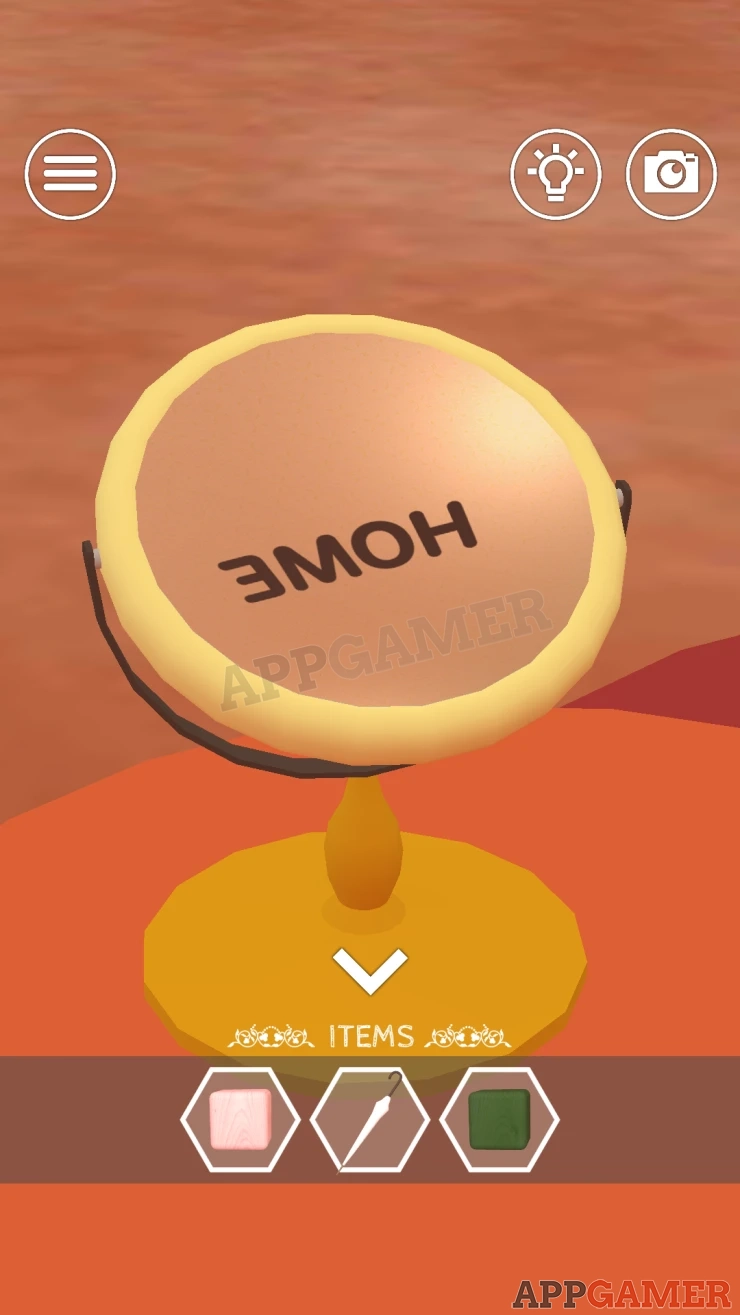
Tap the bottom arrow to back up from the door and view the round orange table on the rug in the center of the room. Collect a Green Cube and then view the mirror.

Tap the mirror to move it and see a clue reflected from the ceiling.
Show
Next view the orange sofa on the right. There is a large toy on it.

First look underneath the sofa. Use the Umbrella here to collect a black and white Stick.

Then view the window behind the sofa. Examine the 4 plants to see the shapes of the plant pots, this is a clue.

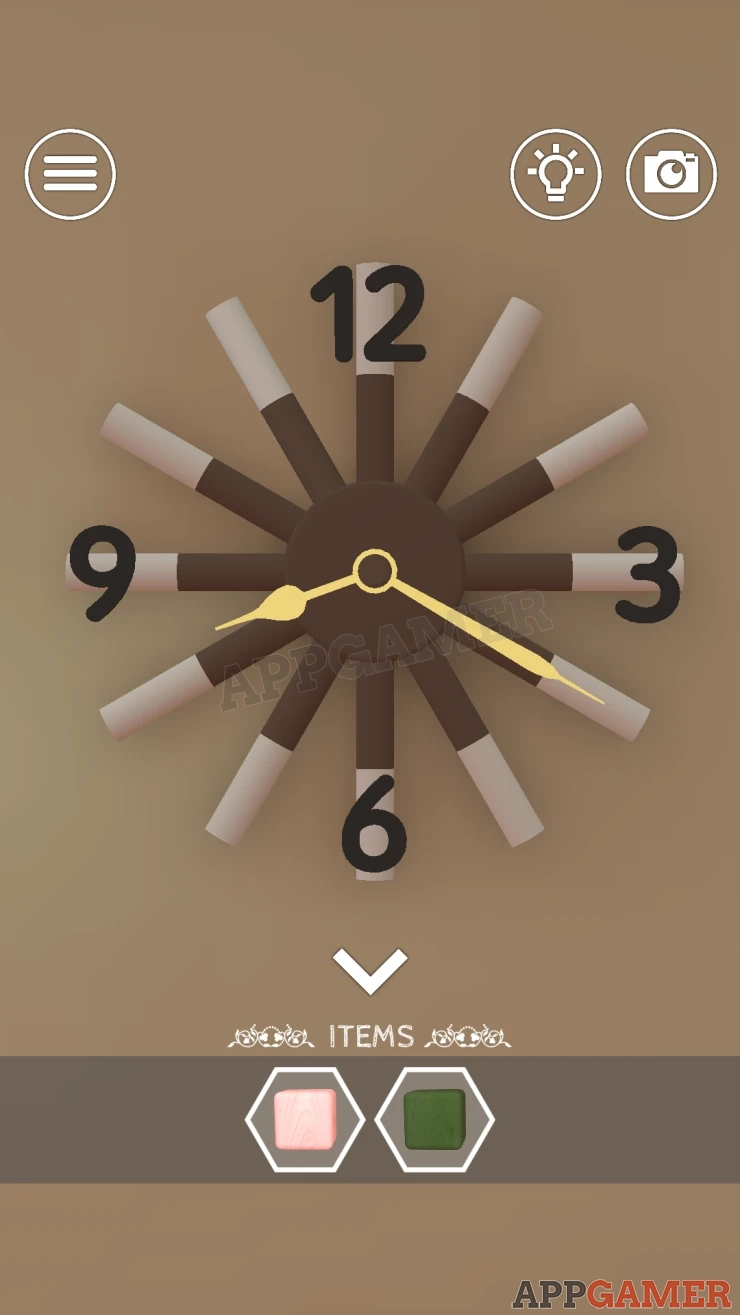
View the clock on the wall by the door.

Add the stick to the gap for 11 and the hands will spin to set a new time. This is another clue.
Show
Back up and use the right arrow to turn to the right of the room.

First view the red case on the floor, the lock for this requires 4 shapes to be set.
Solution: Use the 4 shapes of the plant pots in the window.Show
Code: Circle, Square, Share, TriangleShow
Inside is a book, you can view this and look on the side to see some colors, this is another clue for later.
Show

Next view the red shelf on the wall on the right. On the lower left is a pink for with a combination lock. It requires 3 numbers.
The clue is the shelves.

Solution: L ook at the shelves and imagine them separated into 3 sections. Then follow the red lines of the shelves for each section to trace out a number.Show
Code: 6 2 9Show
Collect a Wrench from inside.

Next view the Large yellow cabinet in the room. This has another combination lock that requires 4 letters.
Use a clue from earlier to open this.

Code: HOMEShow
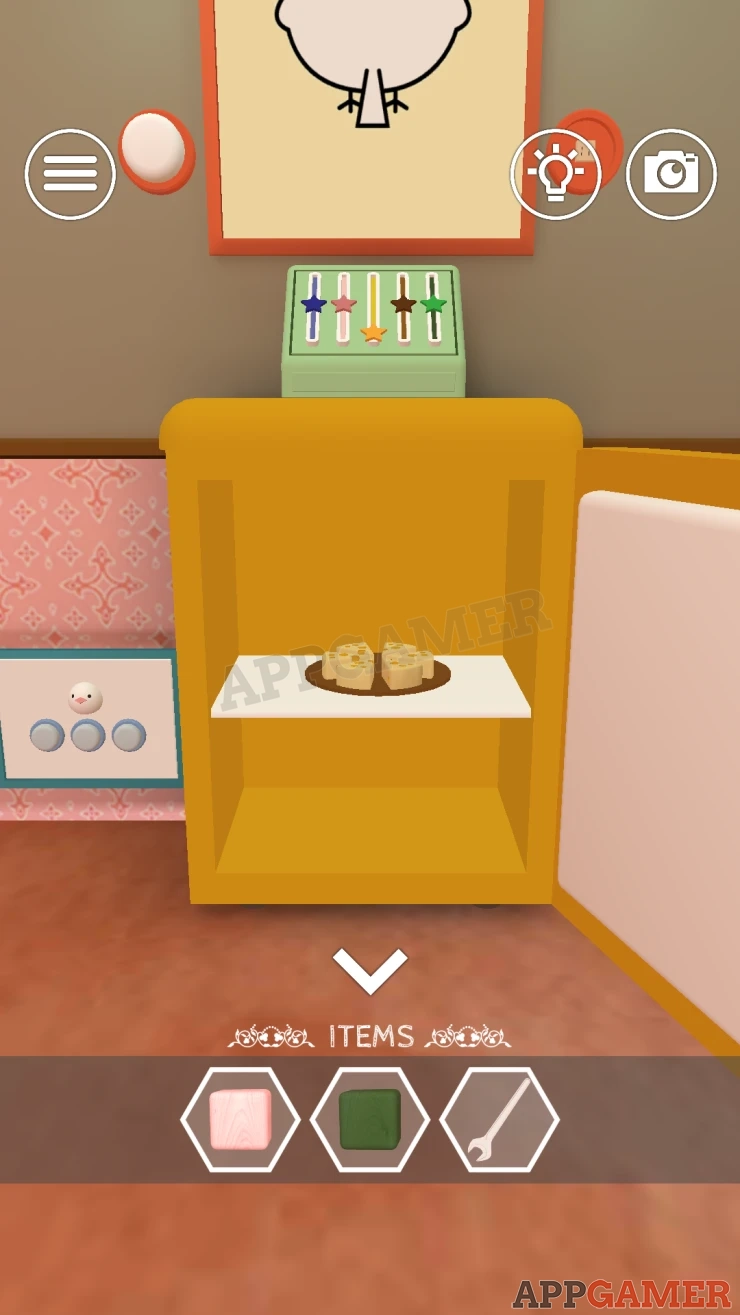
Collect some Cheese from inside.
Go back to the left side of the room and view the Orange sofa again. Look on the right side by the floor to see that is is fixed in place with bolts. Use the wrench here to remove the bolts.

Then move to the left side of the sofa by the pot plant and use the wrench again to remove the bolts.

The sofa will move to reveal a small door. View this.

Place the cheese on the small plate and then tap on the door 3 times.
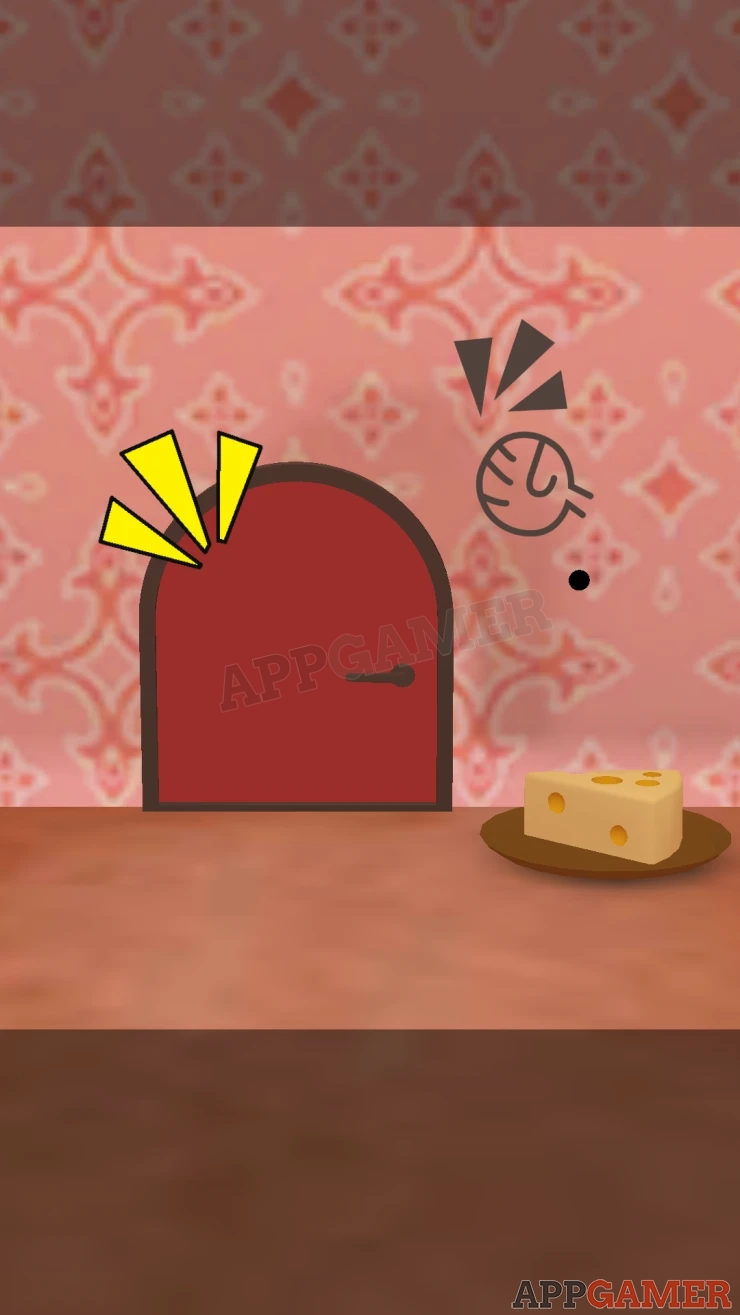
A mouse will appear and take the cheese, it will then give you a screwdriver.

Go back to the right of the room and view the shelves again. On the top right is a set of drawers with the bottom one fixed by screws.

Use the screwdriver on these to open them and find a notepad with a clue.

Now you can view the desk below the shelves and then look at the top right drawer, this has a combination lock and requires 4 numbers.

The clues for this are the clock and the notepad.
Solution: Take the time on the clock (8:20) and then apply the changes written on the pad. H (hour) + 40 = 48, M (minutes) - 3 = 17Show
Code: 4817Show

Collect a Blue Cube.
Now view a picture on the wall above the Yellow cabinet.

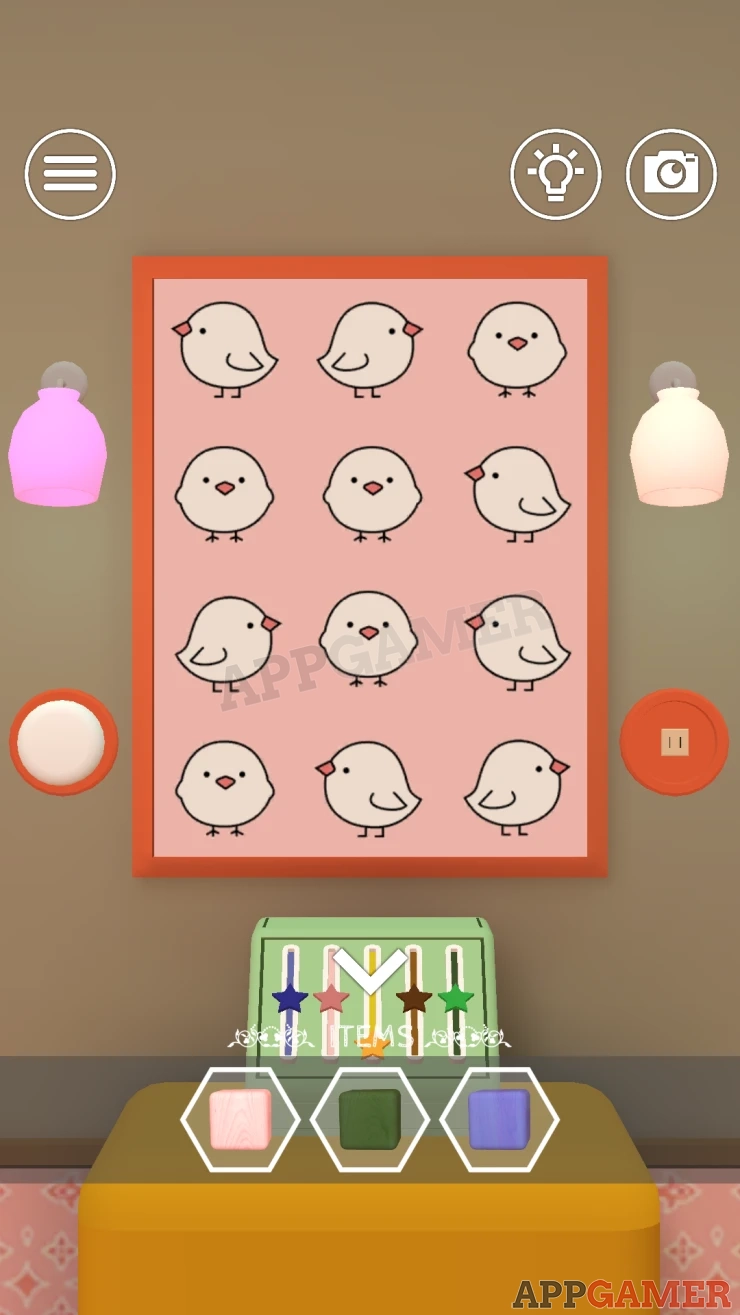
Tap the white round button on the left to turn the picture and reveal a clue. This has 12 birds looking in different directions.
Next return to the left side of the room and view the door, then look on the low table to to the left of the door.
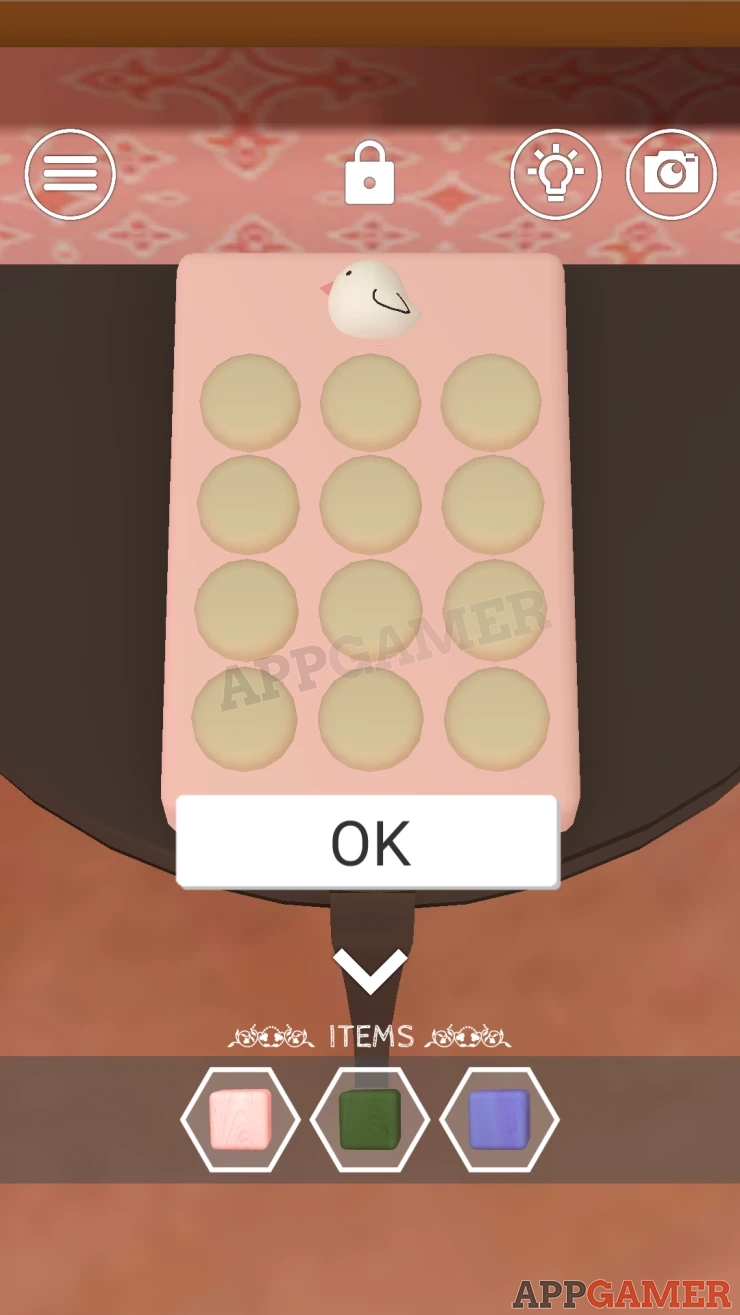
For this puzzle you need to tap the correct buttons on the pad of 12.
Notice that they are laid out in the same way as the bird picture.
Solution: The bird at the top is looking left, tap the buttons that correspond to the picture where the birds are looking left.
Code: Show

Collect a Zipper Pull.
Now go back to the orange sofa and tap the large stuffed toy. It will turn around.
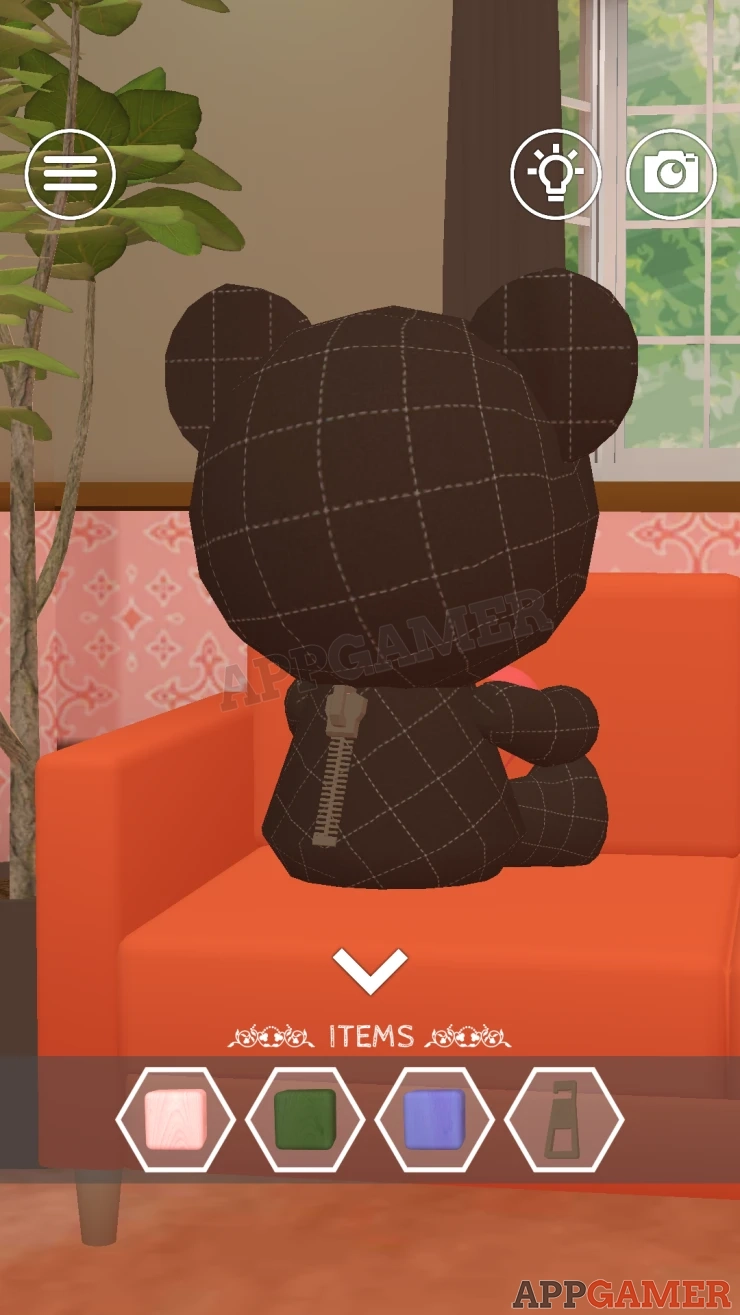
Use the zipper pull on the back to un zip it and then collect a large white button.
Go back to the right side and view the picture above the yellow cabinet again. On the right is a socket for the button.

Add the button you have collected to the socket on the right side of the picture, you can then tap this to turn it again.
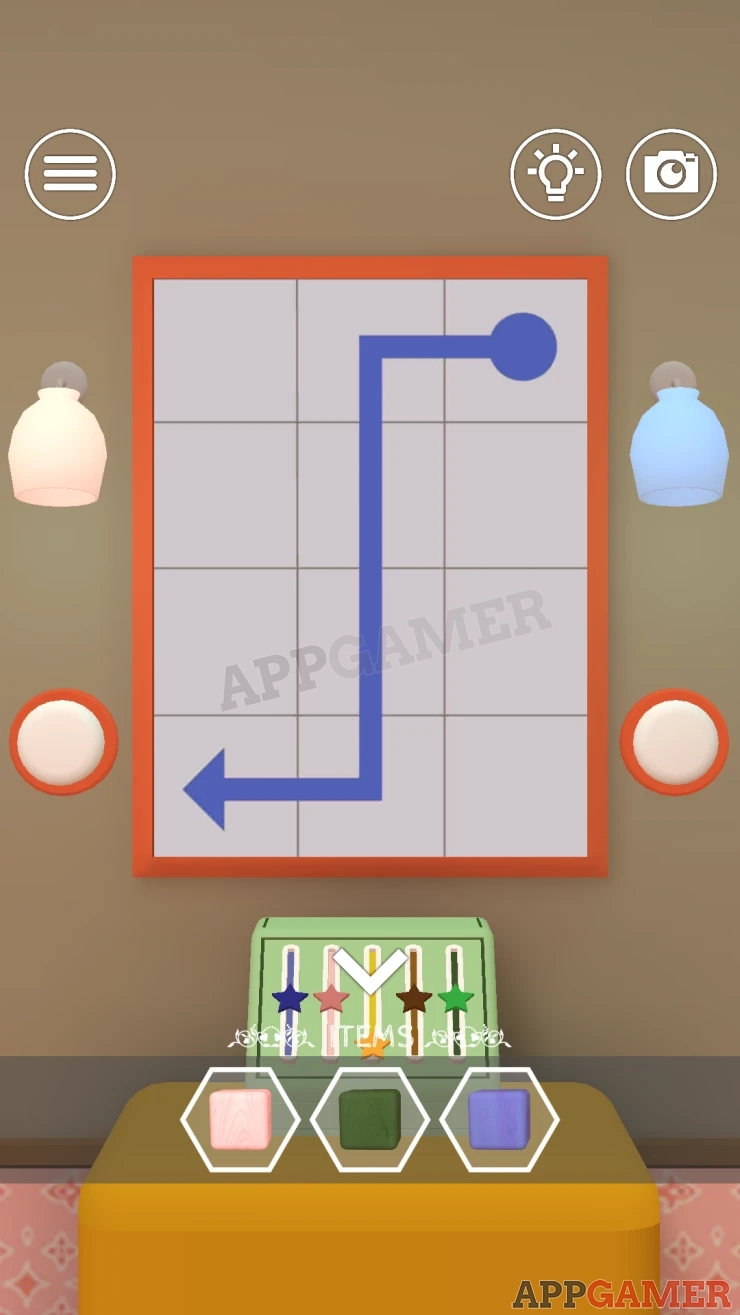
You now see a blue arrow showing a path across the grid.
Show
Back up and look on the wall to the left of the yellow cabinet by the floor. There is a panel with 3 buttons.

- This has a picture of a bird facing forward.
- Tapping a button will light up 1 of the 4 lights above.
- You need to tap 4 buttons in the correct order.
- Use the clues from the pictures on the wall to solve this.
Solution: The blue lines on the second picture shows a path from the bird facing forwards on the top right, then down through 4 birds in the center to the one on the bottom left. Look at the 4 birds in the center column on the first picture and see the directions they are facing.Show
Code: Right, Middle, Middle, LeftShow
Collect a Brown Cube.
Now return to the desk on the right and view a stand with a Yellow Cube in it.

Add the other 4 cubes that you have collected to this. You need to set them in the correct order.
Once placed you can tap pairs of the cubes to swap their position.
Solution: Look on the side of the book that is in the Case on the floor that you unlocked earlierShow
Order: Brown, Pink, Blue, Green, Yellow.Show
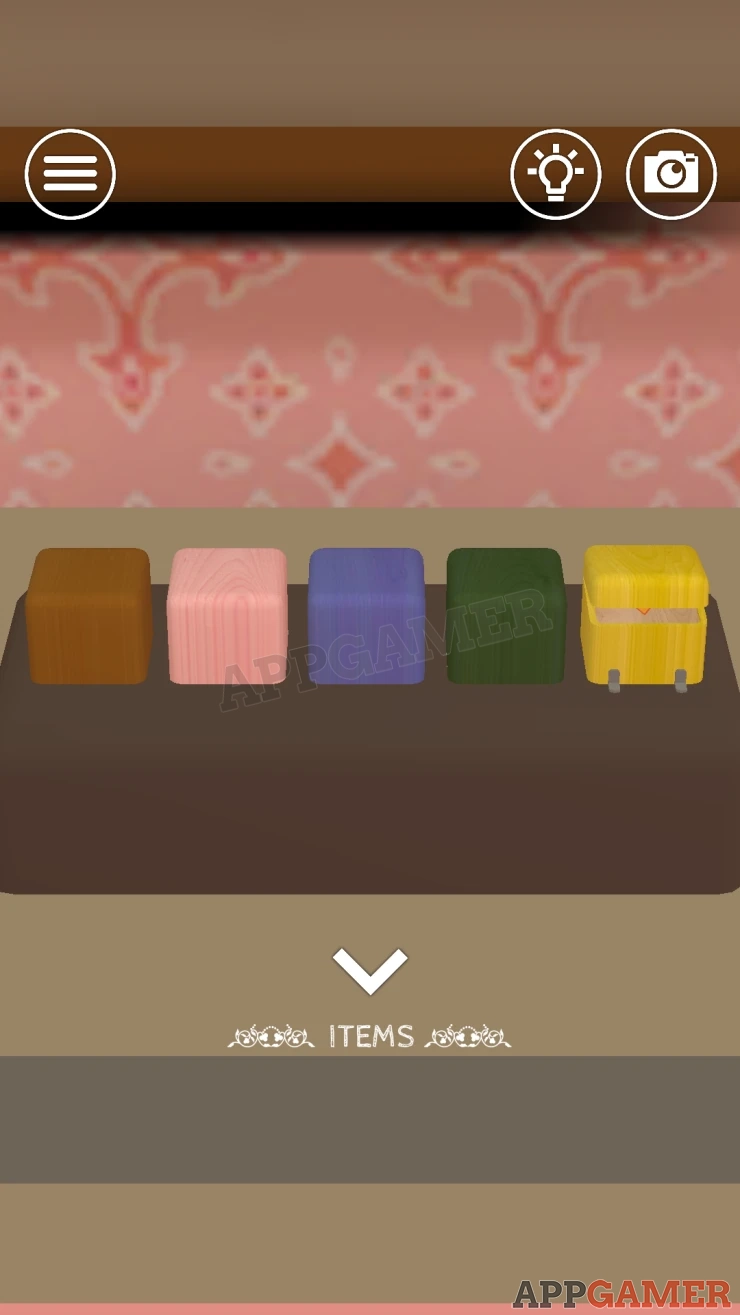
Once done the yellow cube will open. Tap this to open it fully.
You can then tap all of the cubes to open them and see the stars inside. There is a different number of stars in each from 1 to 5.
Show
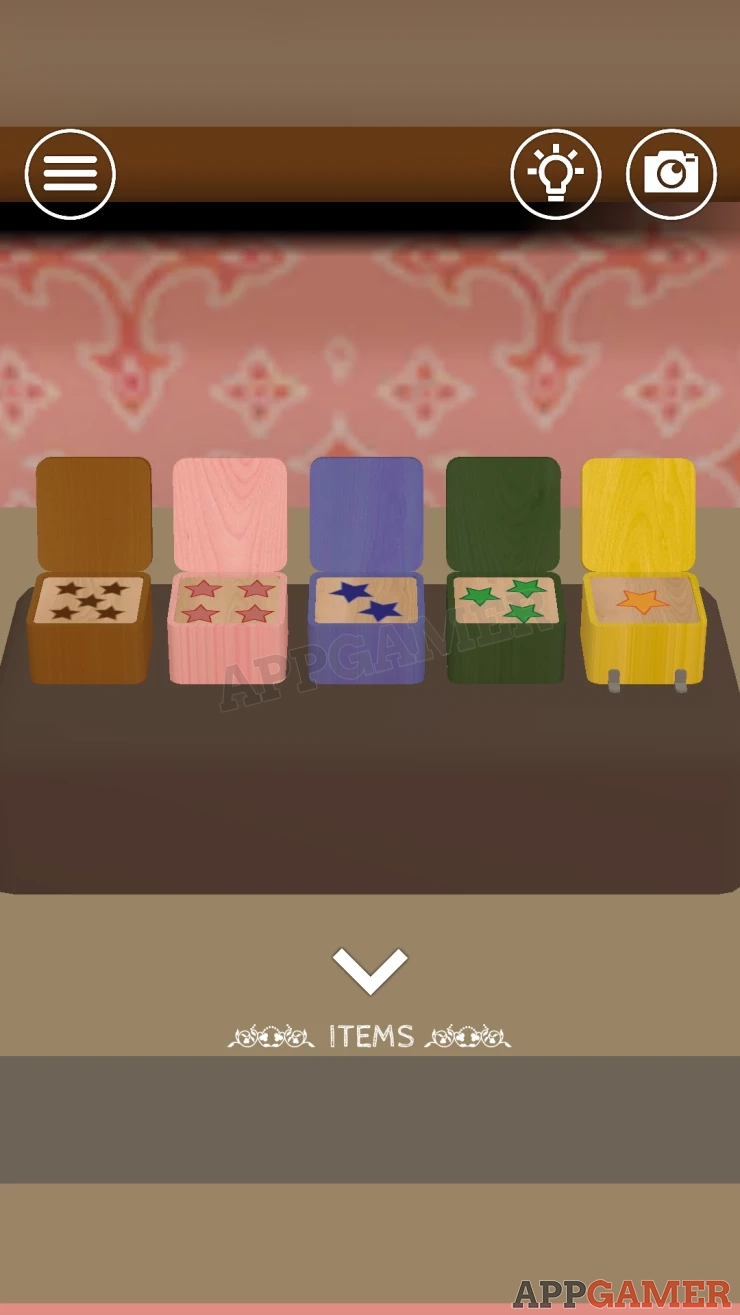
Now look at a green box on top of the yellow cabinet. This has 5 slides with stars on them. They match the same colors as the cubes.
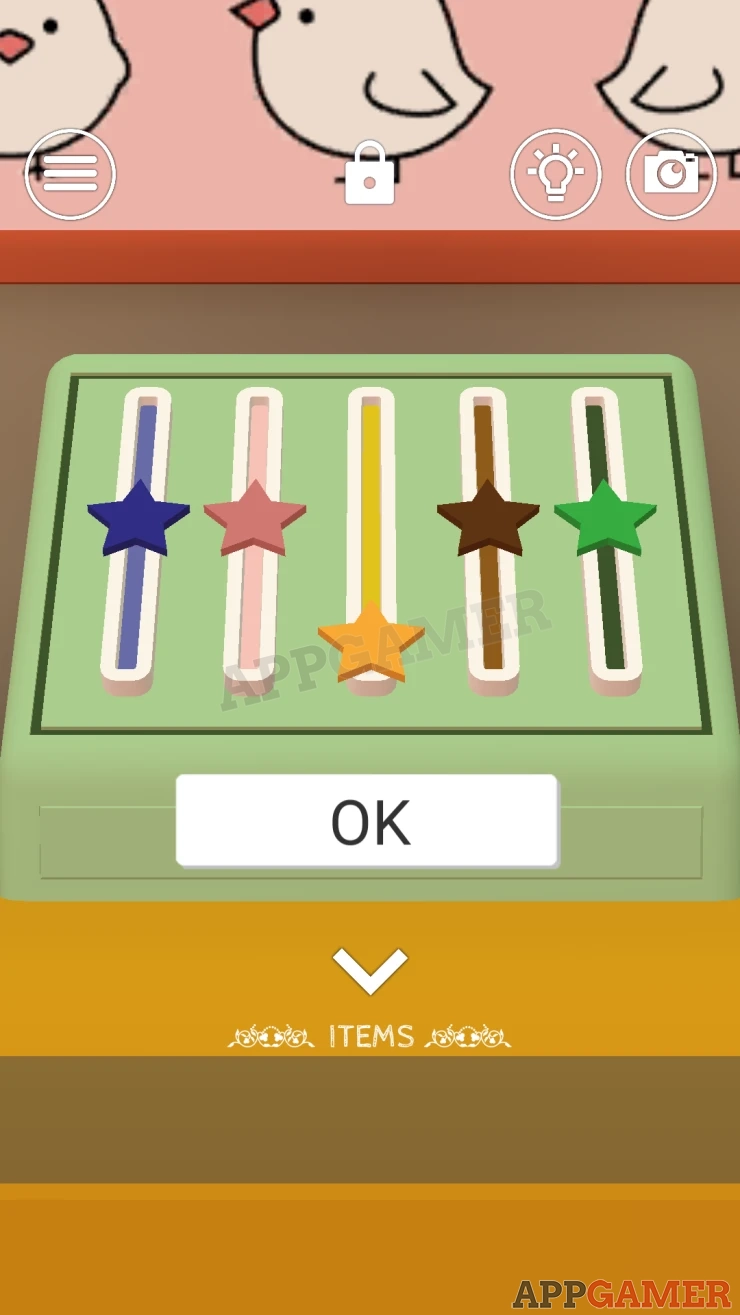
Each slider can be in 1 of 5 positions from bottom to top.
Set these according to the stars.
Solution: Show
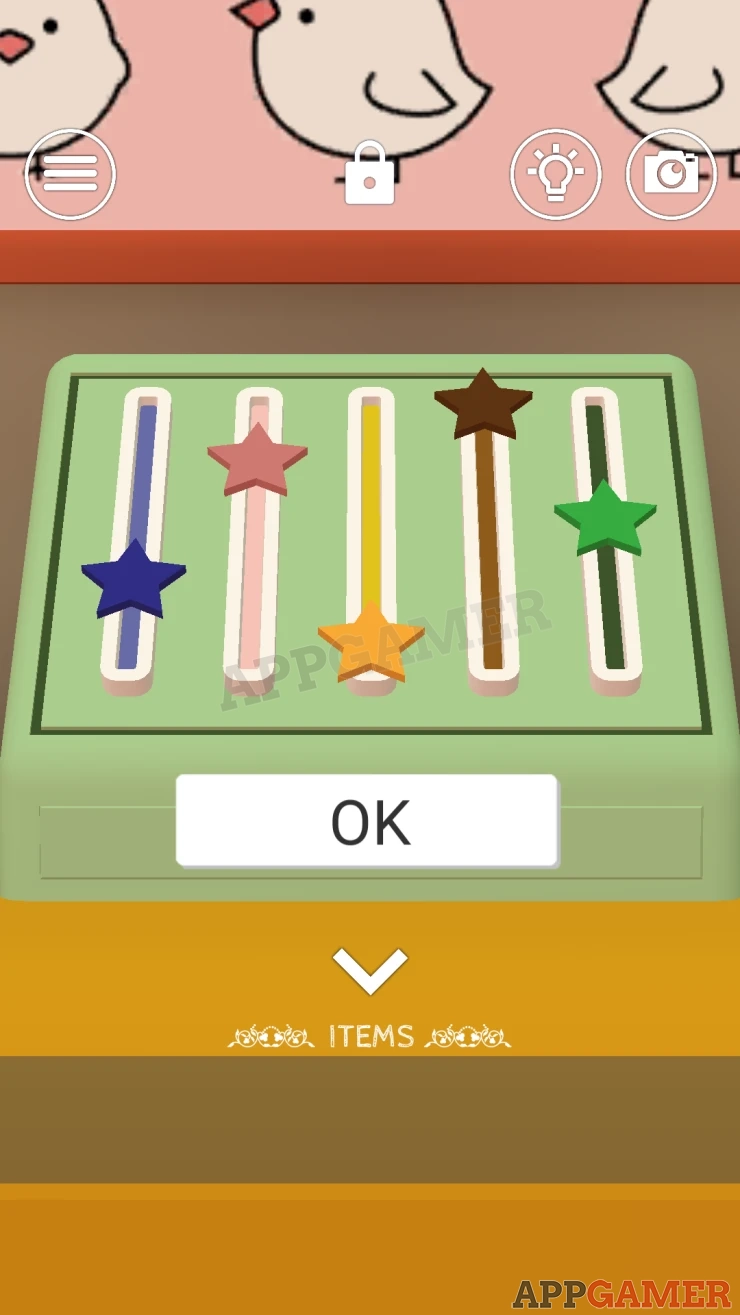
A drawer opens and you can collect a Key.
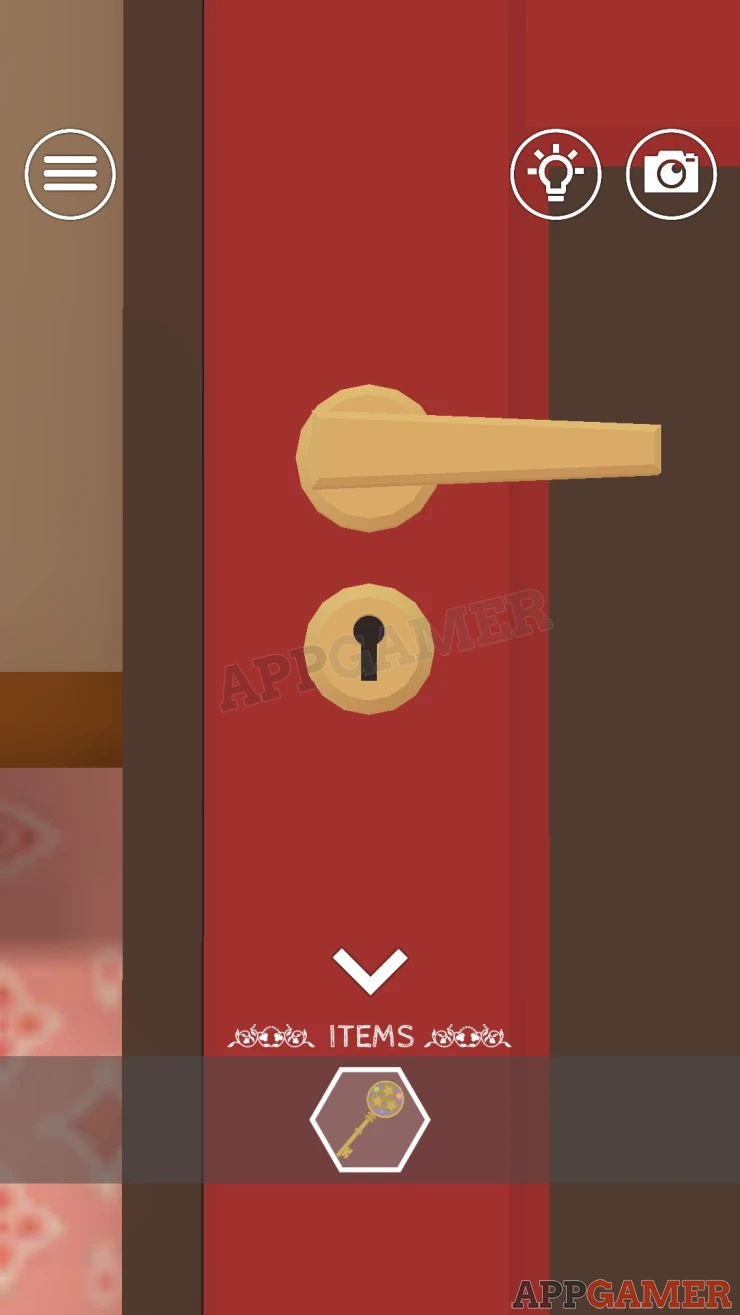
Go to the door and use the key on the lock, this will open the door and you will escape the room.
Move on now to Room 2.
 With 20 years of experience in creating video game content for the internet and over 30 years as a gamer, Mark is now a passionate mobile App Gamer. Loving a challenge, he is always ready to get stuck in to both survival builders and puzzle solving games. He has been providing content for AppGamer since 2014.